Every visitor who lands on your digital storefront arrives with a specific motivation. Some discover your services through a targeted Google search, others click an organic link on social media, while high-intent prospects tap an email newsletter link or type your custom web address straight into their browser. But if you treat all incoming web traffic as a single, uniform crowd, you remain completely blind to which marketing investments drive true revenue.
Here is the plain truth: Raw visitor counts mean nothing if you can't trace their origin. A marketing channel that sends 10,000 passive, non-converting clicks a month is a drain on your resources compared to a niche referral link that brings in 150 visitors and yields 15 paid contracts. Learning how to identify where your website traffic comes from allows you to cut wasted ad spend, double down on high-converting acquisition channels, and scale your overall profits.
Historically, analyzing traffic acquisition required managing messy tracking spreadsheets and deciphering obscure server logs. Modern platforms have eliminated that technical friction entirely. When you build your online storefront with BoltWeb, capturing multi-channel acquisition data is completely integrated. As an all-in-one business website builder, BoltWeb automatically connects tracking tags, supports custom campaign URLs, and formats conversion-ready layouts—helping you deploy high-converting, analytics-ready storefronts in under 60 seconds!
Here is your operational guide on how to find where website traffic comes from, analyze acquisition channels in GA4, and transform raw visitor metrics into daily customer revenue.
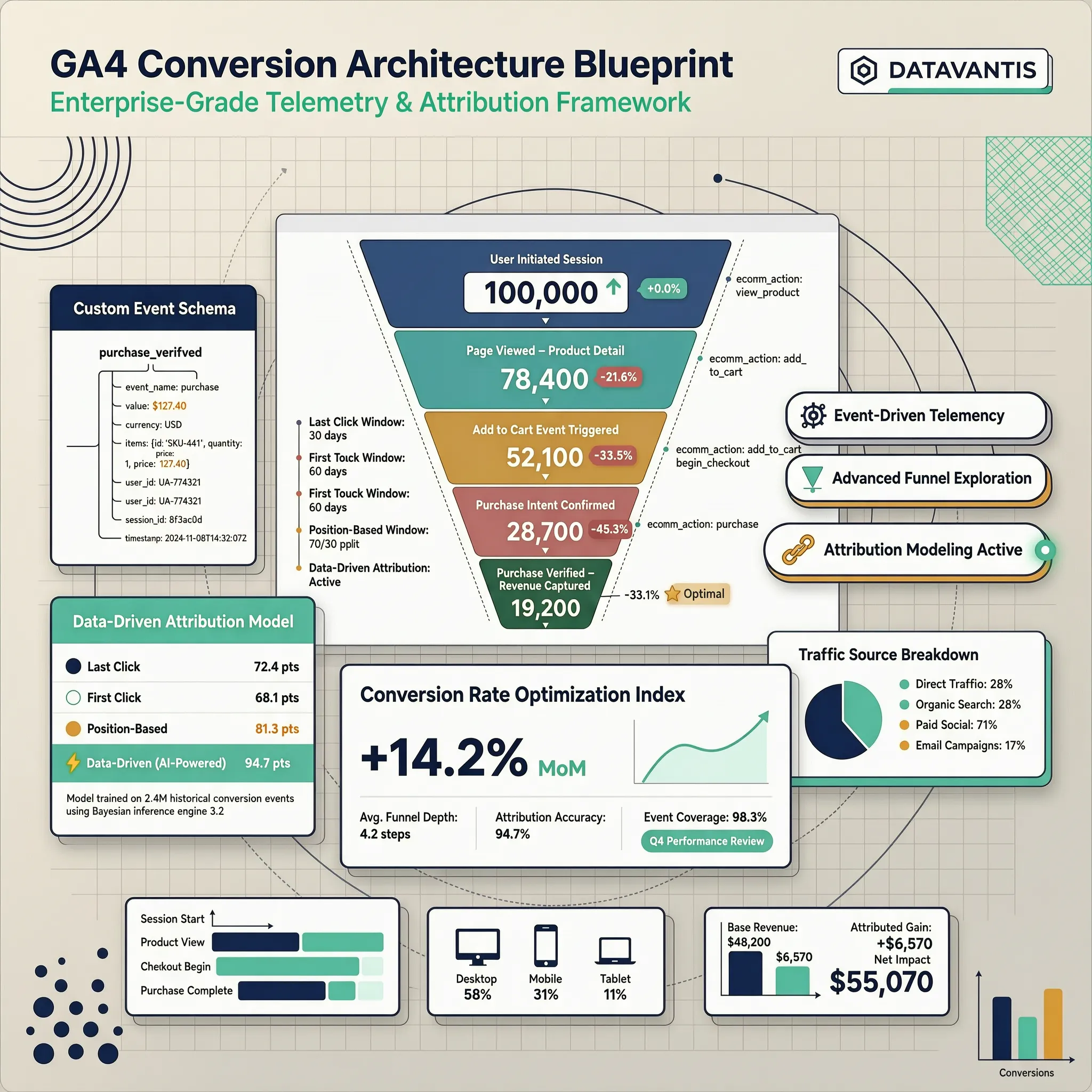
1. Where Does Website Traffic Come From? Start With These Sources
Let's demystify how digital analytics platforms measure user arrival paths right from the start: Every single visit to your storefront is classified using three distinct tracking dimensions:
- Default Channel Group: The broad operational category assigned to the visit (e.g., Organic Search, Direct, Organic Social, Paid Search, Email).
- Source: The specific place the user was immediately before landing on your site (e.g., google, facebook, newsletter, bing).
- Medium: The overarching mechanism or payment model used to deliver the visitor (e.g., organic, cpc, referral, email).
| Analytics Dimension | Technical Example |
|---|---|
| Default Channel Group | Organic Search |
| Traffic Source | google |
| Traffic Medium | organic |
Mastering where website traffic comes from allows you to map all your primary website traffic sources to evaluate campaign performance accurately (start with the foundational Google Analytics setup walkthrough for small businesses).
2. Organic Search: Are Visitors Finding Your Website on Google?
Organic search traffic represents visitors who land on your storefront after clicking an unpaid search engine result on Google, Bing, or Yahoo. These visitors represent high commercial intent because they actively searched for answers related to your services. To audit search visibility:
- Cross-reference session counts inside the official Google Analytics: Reports and acquisition analysis documentation.
- Inspect your organic landing pages inside the Google Search Console: Performance report to reveal the exact query impressions driving clicks (see details in finding keywords in Google Search Console).
Tracking organic search traffic helps you scale organic website traffic and optimize your long-term Google search traffic visibility (pair with the Google Search Console guide for small businesses).
3. Direct Traffic: Why Do Some Visitors Appear to Come From Nowhere?
Seeing a massive spike in "Direct" traffic often causes confusion for business owners. Direct traffic simply means Google Analytics could not detect a referral header attached to the session. While some of these visits are genuine customers typing your URL directly or clicking a bookmark, direct traffic also includes:
- Clicks originating from untagged PDF documents or mobile desktop apps (like WhatsApp or Telegram).
- Visits clicking links inside non-web email clients (such as Apple Mail or Outlook).
- Transitions from secure HTTPS pages to non-secure HTTP pages.
Understanding the true direct traffic meaning clarifies how direct website traffic behaves, clearing up confusion around direct traffic in GA4 reports (also see tracing the real origins of your website visitors).
4. Referral Traffic: Which Other Websites Send Visitors Your Way?
Referral traffic consists of visitors who click a hyperlinked text anchor or image located on another website and land directly on your storefront. Evaluating your referral sources reveals key authority indicators:
- Industry Directories & Review Sites: High-intent prospects arriving from Yelp, Google Business Profile links, or niche trade portals.
- Media Mentions & Blog Features: Visitors arriving from external news articles, guest posts, or partner reviews.
- Affiliate & Partner Links: Operational partners driving direct traffic loops to your service pages (explore strategies in internal linking strategy for small business SEO).
Reviewing incoming referral traffic isolates top-performing website referral sources to measure the impact of referral traffic in GA4.
5. Social Traffic: Which Platforms Send People to Your Website?
Publishing social media content without tracking web traffic is a common mistake. You must verify which social platforms drive traffic back to your sales funnel. Distinguish between organic and paid social channels:
- Organic Social Traffic: Unpaid traffic coming from profile bio links, post updates, or community group discussions across platforms like Facebook, Instagram, LinkedIn, YouTube, and X.
- Paid Social Traffic: Targeted audience traffic driven by paid campaign ads.
| Social Platform | Primary Business Intent |
|---|---|
| High-Ticket B2B & Executive Services | |
| Instagram / Facebook | Visual B2C Products & Local Services |
| YouTube | In-Depth Product Demos & How-To Guides |
Auditing social media traffic isolates true social website traffic to prioritize profitable social traffic sources.
6. Paid Traffic: Find Visitors From Ads and Sponsored Campaigns
When you spend hard-earned capital on paid ad campaigns, monitoring paid traffic performance ensures every dollar drives business growth. Track distinct paid acquisition categories:
- Paid Search (CPC): Search engine ads (Google Ads or Microsoft Advertising) bidding on specific transactional keywords.
- Paid Social: Sponsored ad placements running across meta networks or video platforms.
- Display Advertising: Visual banner ads placed on external publisher websites.
Evaluating paid website traffic helps you optimize paid search traffic to calculate overall ROI across all paid traffic sources (pair with our complete guide to tracking website conversions with GA4).
7. Email and Campaign Traffic: Track Visitors From Links You Share
Email marketing remains one of the highest-converting digital channels, but only if you tag outbound campaign links correctly. Without explicit campaign parameters, visits from desktop email apps are often miscategorized as "Direct" traffic inside GA4. To fix this:
- Append custom UTM Parameters to every link inside your email newsletters, SMS alerts, and promotional campaigns (?utm_source=newsletter&utm_medium=email&utm_campaign=spring_sale).
- Structure parameters using standard snake_case formatting (learn more in Google Analytics setup for small business websites).
Tracking email traffic improves your overall campaign traffic tracking using standardized UTM tracking parameters.
8. Unassigned Traffic: Why Can't Analytics Identify the Source?
Seeing a significant percentage of visits labeled as "Unassigned" in your acquisition reports points to underlying campaign setup issues. Unassigned traffic occurs when:
- Marketing links use non-standard UTM parameter values that fail to match GA4's default channel definitions.
- Redirect chains strip referral headers before the user reaches your landing page.
- Tracking scripts execute out of order during page loading.
Resolving unassigned traffic GA4 alerts uncovers unknown website traffic source data to fix traffic attribution errors (also see how to fix redirect chains for SEO).
9. Check Traffic Sources in Google Analytics 4
Locating acquisition data inside Google Analytics 4 is simple once you know which reports to open. Follow this navigation path inside GA4:
- Traffic Acquisition Report: Navigate to Reports → Acquisition → Traffic Acquisition. This displays session volume, engagement rate, and key event totals grouped by Default Channel Group.
- Switch Dimension to Source / Medium: Click the dropdown arrow above the primary table column and select Session source / medium to view exact referring domains (e.g., google / organic or facebook / cpc).
For custom landing page reporting, inspect the official Google Analytics: Landing page report documentation.
Learning how to inspect traffic sources in Google Analytics clarifies reading the GA4 traffic acquisition report and leveraging overall GA4 traffic sources (combine with identifying your best performing website pages).
10. Find Which Traffic Sources Bring Leads and Customers
Traffic volume alone doesn't pay your bills. Evaluating acquisition channels requires looking past raw visitor counts to trace actual sales and leads. Cross-reference acquisition channels against key business metrics:
| Acquisition Channel | Commercial Performance Output |
|---|---|
| Channel A (High Volume / Low) | 10,000 Visits ➔ 0.1% Conv. Rate ➔ 10 Leads |
| Channel B (Low Volume / High) | 500 Visits ➔ 8.0% Conv. Rate ➔ 40 Leads |
- Track Phone Call Conversions: Attribute direct mobile dials to traffic channels (see tracking phone call conversions from your website).
- Track Form Submissions: Connect completed lead forms to acquisition sources (see tracking contact form submissions in GA4).
Isolating your best website traffic sources reveals true traffic source conversion rates to elevate overall traffic quality (combine with fixing high-traffic pages that fail to convert).
11. Why Traffic Sources Can Be Missing or Misleading
Digital analytics tools provide actionable directional trends, but technical limitations prevent a 100% perfect record of every visitor journey. Common attribution friction points to consider:
- Cross-Device Journeys: A prospect may research your business on a mobile phone during their commute via Organic Search, then convert later on a desktop computer via a Direct visit.
- Privacy & Consent Rules: Users who decline tracking cookies inside consent banners won't trigger analytics tags (learn details in adding a cookie consent banner to your website).
- Third-Party Payment Portals: Redirecting customers to offsite payment gateways can overwrite referring source data unless referral exclusions are configured.
Understanding website traffic attribution limits fixes traffic source tracking gaps and recovers missing traffic sources (also see diagnosing a sudden drop in website traffic).
12. Build a Traffic Source Report You Can Use Every Month
Checking analytics dashboards daily can lead to decision fatigue. Establishing a monthly 15-minute acquisition review routine keeps your strategy on target. Your monthly reporting routine:
- Export Source / Medium Report: Pull your monthly session counts, engagement rates, and key event totals into a centralized tracking document.
- Identify Month-Over-Month Trends: Spot rising acquisition channels and flag declining traffic sources.
- Reallocate Marketing Resources: Shift time and budget toward the top 20% of channels driving 80% of your business inquiries.
Creating a recurring website traffic source report gives you a clear website acquisition report to monitor website traffic sources continuously on BoltWeb (combine with the core metrics every small business should monitor).
Launch Lead-Generating Storefronts with BoltWeb
Tracking acquisition sources, mapping visitor journeys, and optimizing marketing channels shouldn't require complex code or expensive development retainers. When you build your online presence on BoltWeb, every landing page is engineered for rapid execution and seamless analytics tracking from day one.
Whether you run a local contracting company, a professional consulting agency, or a growing online shop, BoltWeb builds clean visual layouts, structures high-converting call-to-action sections, connects analytics tracking scripts, and deploys mobile-responsive storefronts in under 60 seconds!
Frequently Asked Questions: Reading & Analyzing Website Traffic Reports
1. How do I analyze website traffic reports to see if my marketing is actually working?
Here is the plain truth: Staring at total visitor numbers won't tell you if your business is growing—a report showing 10,000 passive clicks a month that yields zero phone inquiries or lead submissions is far less valuable than a report showing 200 targeted visitors that generate 20 paying client contracts. Learning how to analyze website traffic reports requires connecting raw numbers directly to commercial outcomes. Analyzing your traffic metrics gives you absolute clarity on where your prospects come from, how long they stay, and which pages turn casual browsers into paying customers. When you build your digital presence on BoltWeb, reviewing visitor analytics is completely integrated right out of the box. As an all-in-one business website builder, BoltWeb automatically pairs lead forms, booking widgets, and call buttons with clean event structures in under 60 seconds!
2. How can I tell if my traffic spikes represent real prospective clients or low-quality clicks?
Seeing a sudden upward bump in your monthly traffic graphs feels great, but receiving traffic from non-targeted audiences will not increase your revenue. Auditing visitor quality requires inspecting entry paths across distinct acquisition channels: Organic Search Traffic: Unpaid visitors actively looking for your specific services on Google or Bing. Direct Traffic: High-intent prospects who type your exact web address or open a saved bookmark. Referral Traffic: Users arriving directly via external industry recommendations, partner links, or directory mentions. Paid Campaign Traffic: Targeted prospects arriving directly from active ad campaigns. Running a thorough website traffic analysis clarifies your primary website traffic sources and elevates your overall website analytics strategy (combine with tracing the real origins of your website visitors).
3. Why do visitors land on my website pages and leave without taking any action?
Attracting a visitor to click your link is useless if they hit the back button within 3 seconds because your landing page failed to match their intent. Diagnosing visitor drop-offs requires evaluating key website engagement metrics: Engagement Rate: The percentage of sessions where a visitor spent at least 10 seconds on page, viewed 2 or more pages, or triggered a key conversion event. Engaged Sessions: The actual count of high-intent visits logged during a reporting period. Average Engagement Time: The active time prospects spend reading your offer on screen. Conducting a detailed website engagement analysis provides deep visitor behavior analysis insights to fix content friction before it impacts your sales (also see why visitors leave your website without acting).
4. Which landing pages are bringing in top-of-funnel traffic, and which ones are driving revenue?
Your landing pages serve as your digital front doors. When a potential customer arrives from a search engine query or a paid ad, that page must establish immediate trust and present a clear next step. To evaluate initial entry performance, cross-reference session totals with your primary lead data: Identify your top entrance URLs by total user volume. Compare the key event completion rates across pages receiving similar traffic. Replace weak headers or low-contrast call-to-action buttons on underperforming pages (see landing page CTA best practices). Reviewing your website landing page report helps you track website page traffic to optimize overall landing page traffic (pair with identifying your best performing website pages).
5. How do I calculate the exact conversion rate of my website traffic in my reports?
Your conversion rate is the ultimate efficiency metric for your digital storefront, measuring the exact percentage of total visitors who complete a predefined commercial action. Calculate your site's conversion efficiency using this simple formula:
While baseline conversion rates vary by industry, a high-converting service landing page typically converts between 3% and 8% of total visitors into qualified sales inquiries. Running a systematic website traffic conversion analysis turns raw traffic to leads to improve overall website conversion analysis (deepen with our complete guide to tracking website conversions with GA4).
6. How do I trace which marketing channels drive phone calls, form leads, and direct sales?
Analyzing pageviews and dwell time is helpful, but connecting web traffic directly to client revenue is what allows you to scale your business. Measure completed commercial outcomes cleanly across all contact channels: Contact Form Submissions: Track completed form entries using thank-you pages or form-success listeners (see tracking contact form submissions in GA4). Click-to-Call Phone Inquiries: Capture mobile visitors dialing your office line directly (see tracking phone call conversions from your website). Online Purchases: Track gross revenue and checkout transactions (see tracking website sales and revenue). Mapping your conversion data inside your website acquisition report pinpoints your best website traffic sources to evaluate traffic source conversion efficiency.
7. Why does my traffic report show a sudden drop or unexpected spike in visitors?
Sudden shifts in traffic numbers can trigger immediate concern, but running a structured diagnostic process helps you identify the exact root cause. Diagnose sudden traffic fluctuations using this audit checklist: Sudden Traffic Spikes: Check for referral spam, automated bot traffic, viral social media links, or recent email broadcasts. Sudden Traffic Drops: Verify tracking script installation, check for broken redirect rules, or review recent search engine algorithm updates. Investigating a website traffic spike or a sudden drop in website traffic resolves unusual website traffic anomalies fast (also see diagnosing a sudden drop in website traffic).
8. How do I see what visitors do after their initial click onto my website?
Understanding user movement across your storefront helps you optimize the exact visual paths that turn casual browsers into paying customers. Map key interaction steps along the customer journey: Initial Entrance: Visitors land on an educational blog post or primary service page. Internal Content Navigation: Visitors click contextual links to review case studies, client proof, or pricing structures. Key Event Completion: Prospects complete a quote form or initiate a phone dial. Tracing the website visitor journey uncovers true website user flow patterns to improve visitor behavior (pair with website navigation best practices).
9. Are technical issues or slow mobile loading speeds hurting my overall website traffic?
A slow, hard-to-navigate mobile site ruins your conversion rates regardless of how compelling your sales copy or offer pricing is. Segment traffic metrics across desktop, tablet, and mobile devices: Device Traffic Breakdowns: Compare engagement rates and conversion counts between mobile and desktop users to spot technical bugs. Geographic Traffic Breakdowns: Ensure incoming traffic originates from cities and regions where you actually provide services. Evaluating website traffic by device and website traffic by location provides accurate audience traffic analysis to optimize mobile user experience (also see diagnosing why your website feels slow).
10. Why don't my Google Search clicks match the visitor session counts in my traffic reports?
Comparing Google Search Console and Google Analytics 4 numbers often causes confusion because each platform measures a different stage of the user journey. Understand how these two reporting tools complement each other: Google Search Console: Measures search engine visibility before a click occurs (impressions, search clicks, average rank position). Google Analytics 4: Measures user behavior after arrival (sessions, engagement duration, completed lead forms). Learning to analyze website traffic in GA4 alongside Google Search Console traffic builds a complete website analytics report (discover search terms in finding keywords in Google Search Console and pair with the Google Search Console guide for small businesses).
11. How do I compare different marketing channels to see which ones deserve more ad budget?
Focusing entirely on the channel that brings the most traffic can mislead your marketing strategy if those visitors fail to turn into paying clients. Compare marketing channels based on business value output: High-Volume / Low-Value Channels: Channels sending thousands of clicks with low engagement times and minimal lead inquiries. Low-Volume / High-Value Channels: Channels delivering modest traffic numbers that yield high engagement, phone calls, and contract bookings. Learning to compare website traffic sources reveals true traffic quality to optimize overall channel performance (see details in tracing the real origins of your website visitors and combine with fixing high-traffic pages that fail to convert).
12. How do I turn my monthly website traffic report into an actionable business improvement plan?
Collecting analytics data is worthless if it doesn't lead to practical website upgrades that grow your business. Follow this 5-step monthly optimization routine: Spot Key Trends: Identify rising traffic channels and underperforming landing pages. Form a Diagnostic Hypothesis: Pinpoint potential conversion friction (such as weak copy, slow load speed, or poor CTA contrast). Deploy One Target Upgrade: Update page headlines, sharpen copy, or add social proof (see building trust on a business website). Evaluate Performance: Allow 30 days of data collection to confirm whether your change improved key event rates. Establishing a disciplined reporting review rhythm makes it simple to turn monthly traffic observations into concrete, lead-generating page updates on BoltWeb (combine with the core metrics every small business should monitor).