
Building a website used to mean hiring an expensive agency, deciphering complex code, or spending weeks pulling your hair out over confusing interfaces.

If you are standing at the starting line feeling overwhelmed by choices, technical jargon, and design decisions, you are in the right place. This comprehensive guide breaks down the process into clear, manageable steps so you can go from zero to a fully published, high-converting website—fast.
Never Built a Website Before? Start Here
The biggest mistake first-time website creators make is assuming they need technical skills before they even start. You don’t need to know HTML, CSS, or how to configure a server to get online.
When starting out, focus on your primary objective: getting a functional, clean presence live as efficiently as possible. The right website builder for beginners handles the heavy technical lifting behind the scenes so you can focus entirely on your content and message.
What Do You Actually Need From a Website Builder?
Most traditional platforms overwhelm you with hundreds of obscure settings, plugins, and complex dashboards. When evaluating an easy website builder, ignore the non-essential bloat and prioritize four main capabilities:
- Visual editing: The ability to see structural changes instantly as you work.
- Built-in infrastructure: Automatic management of security, hosting, and domain configuration.
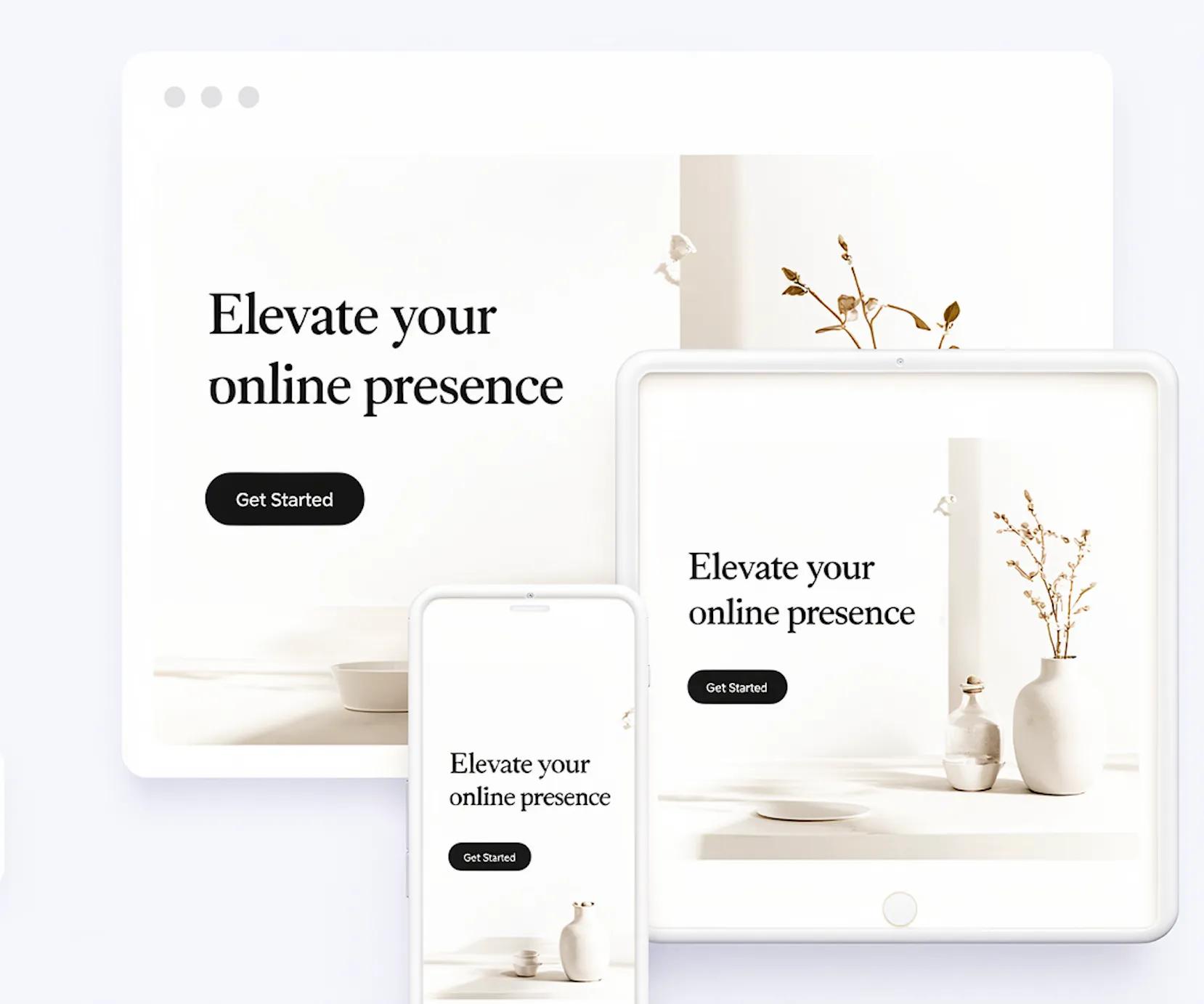
- Mobile responsiveness: Layouts that adapt seamlessly across mobile, tablet, and desktop viewports.
- Pre-structured content blocks: Ready-to-use sections so you never have to design from a blank canvas.
The Straightforward Path From Idea to Finished Site
[Define Goal & Outline Content] ➔ [Select Purpose-Built Template/Layout] ➔ [Refine Copy & Visual Assets] ➔ [Connect Domain & Publish]
By following a linear framework, you eliminate analysis paralysis and keep your launch momentum strong:
- Define your single objective: Know exactly what action you want visitors to take (e.g., call, buy, book, or subscribe).
- Gather your core assets: Write down your basic business info, services, and primary image assets.
- Choose a lightweight layout: Select a pre-configured architecture matched to your intent.
- Publish and iterate: Get the site live first; optimize based on real traffic later.
Do You Need to Know How to Code to Build a Website?
The short answer is no. Modern web development has shifted to autonomous architectures and no-code website builder systems.
Historically, building a site required manually coding front-end markup and styling. Today, drag-and-drop engines and visual interfaces interpret your design choices and automatically compile clean, production-ready code in the background.
What Type of Website Are You Trying to Build?
Your site layout should directly support your business goal. Match your objective to the proven structure below:
| Website Type | Primary Goal | Essential Structural Elements |
|---|---|---|
| Business / Service | Lead generation & inquiries | Clear value proposition, service overview, client proof, lead capture form. |
| Portfolio | Showcasing work & talent | High-impact visual gallery, case studies, client list, contact button. |
| Landing Page | Single-offer conversion | Focused headline, product breakdown, offer highlights, single clear call-to-action (CTA). |
| Personal Brand | Authority & networking | Bio/about section, content feed, social proof, direct booking link. |
Templates vs. Starting From Scratch
Starting with a blank canvas usually leads to inconsistent spacing, mismatched typography, and poor visual balance. Utilizing structured website templates leverages fundamental Gestalt design principles:
- Proximity: Placing related text and buttons close together so users intuitively link them.
- Visual Hierarchy: Scaling headlines and elements so the eye naturally scans high-value information first.
- Continuity: Guiding visitor movement fluidly from section to section toward your main action button.
Starting from a proven layout ensures these design mechanics are pre-configured correctly.
Build Your Website Without the Learning Curve
Traditional website setup often involves fighting complex admin panels, configuring CSS grids, and troubleshooting plugin conflicts. Modern tools eliminate this friction entirely.
Instead of spending days adjusting pixel-perfect margins or tweaking responsive breakpoints, an AI website builder generates full layouts based on simple prompts. You can generate, edit, and publish your site in minutes rather than weeks.
How to Build Your Next Website in 4 Steps with BoltWeb™
Whenever inspiration strikes for your next digital project, you don't need to spend days configuring themes, tweaking code, or fighting with layout margins. BoltWeb™ lets you go from a raw idea to a published, high-converting site in minutes.
- Step 1: Head to Your BoltWeb Dashboard - Log into your dashboard and launch the BoltWeb Website Builder. You are immediately presented with a clean, distraction-free prompt box designed to skip technical configuration entirely.
- Step 2: Describe Your Vision in One Sentence - Summarize your core offer, product, or service into a single clear sentence. "A premium architectural lighting brand delivering sustainable LED fixtures for modern luxury homes"
Step 3: Hit Generate - Click Generate and watch BoltWeb’s autonomous intelligence system take over. Within seconds, it dynamically assembles:
- A responsive, high-converting layout based on Gestalt visual hierarchy principles.
- Conversion-focused headline options and section copy tailored to your industry.
- Matching typography, spacing, and mobile-optimized content containers.
- Step 4: Add Your Custom Domain & Publish
Review your draft, fine-tune your messaging or media assets, and connect your custom domain name with one click. Hit Publish to put your live, secure, agency-grade website in front of the world instantly.
What Pages Does a Beginner's Website Actually Need?
More pages do not equal a better website. In fact, overcomplicating your site structure creates confusion for visitors and delays your launch. A complete, high-converting presence requires only five core pages (or equivalent sections on a single-page site):
- Homepage: Answers who you are, what you offer, and what action to take next.
- About Page: Establishes credibility, your core mission, and why visitors should trust you.
- Services / Products Page: Clearly details what solutions you offer and their primary benefits.
- Contact Page: Provides an effortless way for prospective clients to reach you.
- Landing Page: Focuses exclusively on driving a single specific offer or marketing campaign conversion.
Make Your Website Look Professional (Without Design Skills)

Achieving a polished, agency-grade look comes down to sticking to a few simple visual standards:
- Limit your typography: Pick two complementary fonts—one for headlines and one for body copy.
- Maintain contrast: Ensure high-contrast text against backgrounds to maximize legibility.
- Embrace whitespace: Give your text and imagery room to breathe; crowded layouts feel unprofessional.
- Use consistent imagery: Apply uniform aspect ratios and tonal styles across all visual elements.
Domain, Hosting, and Publishing Demystified
The technical side of launching a website often sounds far more intimidating than it actually is. Here is what those core elements do:
- Domain Name: Your web address on the internet (e.g., yourbusiness.com).
- Website Hosting: The secure cloud server storage space where your website files live.
- SSL Certificate: The security protocol that encrypts your traffic (showing the lock icon in web browsers).
In the past, you had to purchase these services separately and manually link them using confusing DNS records. Modern platforms bundle website hosting, security, and domain setup into a single automatic workflow.
What to Look for When Comparing Website Builders
When conducting a website builder comparison, run every platform through this quick evaluation checklist before committing:
- Time-to-Launch: Can you build and publish a draft within an hour, or does it require hours of setup?
- Zero-Code Native Setup: Does it require third-party plugins or custom code snippets to look complete?
- Fully Managed Infrastructure: Are hosting, security updates, and performance tuning handled automatically?
- Responsive Integrity: Does the layout re-stack naturally on mobile devices without breaking alignment?
Skip the Learning Curve with BoltWeb
If you are ready to launch a modern, professional site without losing days to steep learning curves or complicated tools, BoltWeb is engineered specifically for your workflow.
Powered by Autonomous Architecture, BoltWeb transforms your ideas, business concept, or rough outline into a complete, beautifully structured website automatically. It builds your custom layouts, configures responsive visual hierarchy, formats high-converting copy sections, and manages security and hosting under one roof.
You don't need to learn code, master complex web design theory, or manage technical infrastructure.
Frequently Asked Questions
Do I really need zero technical or coding skills to use BoltWeb?
Yes, completely. BoltWeb is engineered on an autonomous architecture that handles HTML, CSS, JavaScript, and backend server configurations automatically. You simply describe your business or goal in plain language, and the intelligence system generates a polished, fully coded site for you.
How is BoltWeb different from traditional drag-and-drop website builders?
Traditional drag-and-drop builders give you a blank canvas and require you to manually align blocks, configure mobile viewports, and troubleshoot design bugs. BoltWeb uses intelligent visual hierarchy (Gestalt principles) to build structured, mathematically balanced layouts automatically—saving you hours of manual tweaking.
How long does it actually take to get a website live?
You can go from a initial idea or prompt to a live, published link in under 2 minutes. Once your initial draft is generated, you can immediately refine the text, swap images, connect your domain, and hit publish.
Will my website look good on mobile phones and tablets?
Yes. Every page generated by BoltWeb is natively responsive out of the box. Layout containers, typography scale, and media assets re-stack naturally to fit desktop, tablet, and mobile viewports perfectly without any manual adjustments.
What pages should I include on my first website?
For most small businesses, portfolios, or personal brands, a lean 4-page structure works best:
- Homepage: Clear headline, value proposition, and primary call-to-action.
- About Page: Your story, mission, and client trust signals.
- Services / Products Page: Details on your offerings, benefits, and pricing.
Contact Page: A frictionless form for visitors to reach you or book a call.
Do I have to buy hosting and an SSL certificate separately?
No. BoltWeb includes managed cloud hosting, automated SSL encryption (the secure padlock icon in web browsers), and global content delivery natively. You don't need to configure third-party servers or pay extra hosting fees.
Can I use my own custom domain name?
Yes. You can easily point your existing domain name (e.g., yourbusiness.com) to your BoltWeb site with one-click domain mapping, or use a provided subdomain to launch instantly.
Is BoltWeb good for search engine optimization (SEO)?
Yes. BoltWeb generates clean semantic HTML5 markup, automated JSON-LD schema, lightweight asset compilation, and rapid page load speeds—all critical signals that search engines like Google look for when ranking sites.
Can I update my website content after it goes live?
Absolutely. You can log into your BoltWeb dashboard at any time to edit text, add new pages, update project portfolios, or change calls-to-action. Updates push live instantly with a single click.
What if I don't know how to write copy or design my site?
BoltWeb’s intelligence system writes initial, conversion-focused headline options and body copy tailored to your industry during generation. You don't start with a blank screen—you simply edit and fine-tune the pre-structured copy to match your exact voice.