
Starting a business demands every ounce of your energy. Between finalizing your core offer, managing operational setup, and finding your first clients, your website should not turn into a multi-month ordeal that drains your budget before you make your first sale.
You do not need a multi-page enterprise portal, custom javascript tricks, or a massive technical team to launch. You need four fundamental outcomes on day one:
- Clear explanation of what you do.
- Direct identification of who you help.
- Authentic proof of why people should trust you.
- An effortless path for visitors to take the next step.
Once you organize your site around these four goals, building an authoritative online presence becomes straightforward, predictable, and fast.

How to Create a Website for a New Business: Start With the Basics
The biggest mistake new founders make is overcomplicating their initial site launch. They spend weeks debating color palettes, tweaking header layouts, or adding advanced features they do not yet need.
A new business website has one job: build instant clarity and trust with someone who has never heard of your brand.
Instead of viewing web development as an intimidating technical hurdle, treat your business website as a clear, round-the-clock sales representative. It meets prospective clients, presents your value proposition without distraction, and directs them toward a phone call, booking link, or purchase form.
Decide What Your New Business Website Needs to Accomplish
A site built purely for "legitimacy" acts like a digital business card sitting in an empty room—it confirms you exist, but it does not generate momentum. A high-performing site actively turns incoming traffic into qualified leads.
BUSINESS WEBSITE OBJECTIVES
│
▼
[ DIRECT SALES ]
E-Commerce Checkout
Digital Product Delivery
[ LEAD GENERATION ]
Contact Forms
Inbound Quotes
[ SERVICE BOOKING ]
Appointment Scheduler
Consultation Calls
Before choosing layout structures or writing headline copy, pinpoint the single primary action you need visitors to take:
- Service Businesses: Drive qualified inquiries via a streamlined contact form or consultation booking calendar.
- Local Operations: Prompt immediate phone calls, walk-in visits, or local service estimates.
- Product Sellers: Guide buyers toward clean product displays with friction-free checkout loops.
Establishing your core website goals early keeps every design choice aligned with revenue rather than visual vanity.
Know What Customers Need to See Before They Contact You
First-time visitors enter your site with a high degree of skepticism. Their subconscious mind scans your page searching for answers to three core questions:
- "Does this business actually solve my specific problem?"
- "Are they qualified and capable of delivering what they promise?"
- "What happens after I reach out or submit my payment?"
To build a customer-focused website, answer these questions upfront. Eliminate dense corporate buzzwords, avoid vague marketing slogans, and speak directly to the tangible outcomes your customers care about.
Presenting transparent pricing structures, clear service steps, and verified owner credentials immediately reduces risk for prospective buyers.

Choose the Right Pages for Your New Business
When launching, fewer focused pages outperform dozens of thin, empty ones. Building unnecessary pages creates visual clutter and dilutes your core marketing message.
ESSENTIAL STARTER PAGE MATRIX
│
▼
[ HOMEPAGE ]
Instant Positioning
High-Contrast CTAs
[ SERVICES / SHOP ]
Detailed Solutions
Pricing & Specs
[ ABOUT & CONTACT ]
Trust & Conversion
Simple Direct Fields
Keep your initial website structure streamlined across four core assets:
- The Homepage: Answers what you do, who you serve, and how to get started within seconds of landing.
- The Services / Product Page: Outlines your core solutions, key features, target outcomes, and clear pricing parameters.
- The About Page: Builds human connection by presenting your background, mission, and operational standards.
- The Contact Page: Provides direct communication channels, active booking tools, and physical location maps.
Starting lean makes managing your website content manageable while keeping user paths direct.
Write a Homepage That Explains Your Business in Seconds
The top section of your business homepage must establish immediate positioning. If a user lands on your page and cannot figure out your primary service before scrolling, they will hit the back button.
HOMEPAGE COPY FORMULA
│
▼
[ HERO HEADLINE ]
Plain-English Offer
"We build X for Y"
[ SUB-HEADLINE ]
Specific Target Audience
"Helping Z achieve A"
[ PRIMARY ACTION ]
High-Contrast Button
"Book Your Audit"
Structure your homepage content using this direct structural sequence:
- Clear Headline: State your core business offer in plain language (e.g., "Custom Commercial Plumbing Solutions for Industrial Facilities").
- Targeted Sub-Headline: Identify your ideal client and the main problem you eliminate.
- Primary Call-to-Action: Position a bold, high-contrast action button directly below your introductory text.
Clear, focused business website design prioritizes rapid understanding over artistic ambiguity every time.
Show Your Products or Services Clearly
Visitors do not read every word on a web page; they scan for information that matches their immediate needs. Structuring a service website or product website around dense blocks of narrative text forces readers to work too hard.
Organize your offerings using scannable structural blocks:
| Presentation Element | Strategic Layout | Target Outcome |
|---|---|---|
| Core Solutions | 3-Column Grid Cards | Quick visual comparison of main service tiers |
| Feature Bullets | Checkmark Lists | Highlights deliverables without wall-of-text fatigue |
| Pricing Guidance | Transparent Tier Tables | Filters out unqualified leads early in the process |
| Direct CTA Links | Dedicated Card Buttons | Takes buyers straight to individual booking pathways |
Whether you run an online store or a consulting firm, present your core options so clearly that visitors can choose their target solution in seconds.

How to Create a Website for a New Business That Stands Out
Starting a new business is exciting, but building a website that looks professional and is ready to attract customers can take a lot of time. You may need to plan pages, write content, choose keywords, design layouts, and figure out what your customers need. BoltWeb makes the process much easier.
Step 1: Add Your Domain-
Head to BoltWeb and add your domain. If you already have one, connect it to your website. If you don't have a domain yet, you can purchase one through BoltWeb. Your domain gives customers a simple address where they can find your business online.
Step 2: Describe Your Business-Tell BoltWeb about your business in your own words. Explain what your business does, who you serve, your business name, and your email address. You don't need to write complicated website copy—just describe your business naturally.
- Step 3: Choose Your Pages-
Choose how many pages you want: one, two, or three. Pick what makes sense for your new business and click to create your website.
Step 4: Let BoltWeb Build It-
BoltWeb takes your business description and turns it into a website built around your business. Instead of spending weeks planning, writing, designing, and developing everything yourself, you can get a website started in a much simpler way.
Step 5: Grow Your Website With Your Business-
As your business grows, you can add more services, pages, content, and information. Start with what you need today and build on it as your business grows.
Make a New Business Look Trustworthy From Day One
Without an established brand name, social proof serves as your strongest currency. A highly polished professional business website leverages external validation to overcome cold-visitor hesitation.
SOCIAL PROOF ARSENAL
│
▼
[ REAL REVIEWS ]
Authentic Client Quotes
Full Names & Headshots
[ INDUSTRY BADGES ]
Certifications, Licenses
Security Verification
[ WORK PORTFOLIO ]
High-Resolution Photos
Before/After Case Studies
Establish instant credibility using proven validation signals:
- Customer Reviews & Testimonials: Feature authentic quotes from early clients alongside their names, photos, or business logos.
- Certifications & Guarantees: Display industry licenses, insurance badges, and satisfaction guarantees prominently.
- Real Project Media: Replace generic stock photography with original, high-resolution photos of your team, equipment, and completed work.
Validating your expertise through visible testimonials builds confidence before the first conversation even begins.
Make It Easy for Customers to Contact or Buy From You
Conversion friction destroys marketing efforts. If a visitor decides they want to hire or buy from you, but has to search through dropdown menus to find a payment link or email address, you risk losing them.
Streamline your primary conversion channels:
- Simplified Form Layouts: Restrict your business website contact form to 3–4 essential fields (Name, Email, Service Needed).
- Direct Booking Engines: Integrate seamless online booking widgets for instant consultation scheduling.
- Secure Merchant Gateways: Enable fast online payments via credit card, Apple Pay, or Google Pay for direct transactions.
- Persistent Action Anchors: Keep a prominent website CTA button anchored in your main navigation header across every page view.
Removing steps between initial interest and final checkout turns passive visitors into paying customers.

Give Your New Business a Professional Domain and Online Identity
Using free, generic web subdomains (e.g., yourbusiness.free-website-site.com) or personal @gmail.com addresses damages credibility instantly. It signals to prospective clients that your operation may be temporary or unestablished.
[ UNPROFESSIONAL SETUP ]
[email protected]
businessname.freewebsite.site
Insecure / Temporary Signal
[ AUTHORITATIVE SETUP ]
[email protected]
www.yourbusiness.com
Custom Domain + Domain-Matched Mail
Secure your digital assets before launch:
- Register a Custom Domain: Choose a concise, memorable business domain name (.com preferred) that matches your registered brand name closely.
- Configure Branded Email: Setup domain-matched business email addresses ([email protected] or [email protected]).
- Maintain Visual Consistency: Standardize your brand colors, typography, and logo assets across both your site and business social channels.
Securing a clean custom domain creates an authoritative foundation for your digital footprint.
Make Your Website Easy to Find on Google
Building a great site is only half the battle; target customers need to find it when searching for solutions in your industry.
ORGANIC DISCOVERY ENGINE
│
▼
[ ON-PAGE SEO ]
High-Intent Keywords
Optimized Meta Titles
[ LOCAL DISCOVERY ]
Google Business Profile
Geographic Service Pages
[ TECHNICAL BASICS ]
Fast Mobile Loading
Clean URL Structure
Build initial search visibility using these foundational practices:
- On-Page Keyword Placement: Integrate high-intent search terms (like how to create a website for a new business or local service queries) into your main page titles, meta descriptions, and headers.
- Local Search Optimization: Set up and verify a free Google Business Profile, linking it directly back to your domain homepage.
- Targeted Geographic Pages: If serving specific physical areas, include location-based terms across your main service descriptions.
Executing basic local SEO techniques ensures potential customers discover your brand right when their intent is highest.
Build Your New Business Website Without Hiring a Developer
You don't need to wait until your business is big enough to hire an expensive agency or developer team. If you are starting with a straightforward business site, modern tools handle the technical heavy lifting while you focus on serving your early customers.
Using a modern no-code website builder eliminates technical friction entirely:
- Zero Programming Required: Drag, drop, and edit page layouts visually without touching lines of HTML or CSS code.
- Automated Layout Adaptation: Content grids collapse into mobile-friendly formats automatically.
- All-in-One Infrastructure: Web hosting, security certificates, and platform maintenance are managed automatically.
Choosing a streamlined small business website builder allows you to launch faster while keeping upfront capital focused on growing your business.
Create Your New Business Website and Start Getting Found With BoltWeb
Transforming your new business concept into a published, customer-ready website should not take weeks of trial and error or cost thousands of dollars in technical setup fees.
With BoltWeb, you can create a clean, modern, fully responsive business site engineered for conversions in minutes.
BOLTWEB LAUNCH INFRASTRUCTURE
│
▼
[ AUTOMATED BUILD ]
AI-Powered Layouts
Auto-Scaling Grids
[ ENTERPRISE HOSTING ]
SSL Security & Global
Cloud Delivery
[ FAST SEO SETUP ]
Pre-Configured Meta
Structures Included
Why new founders choose BoltWeb’s AI website builder to launch fast:
- Automated Site Generation: Answer a few questions about your business to get a custom, professionally structured layout ready instantly.
- Built-in Conversion Frameworks: Pre-formatted hero zones, social proof blocks, and simple contact flows designed to convert visitors out of the box.
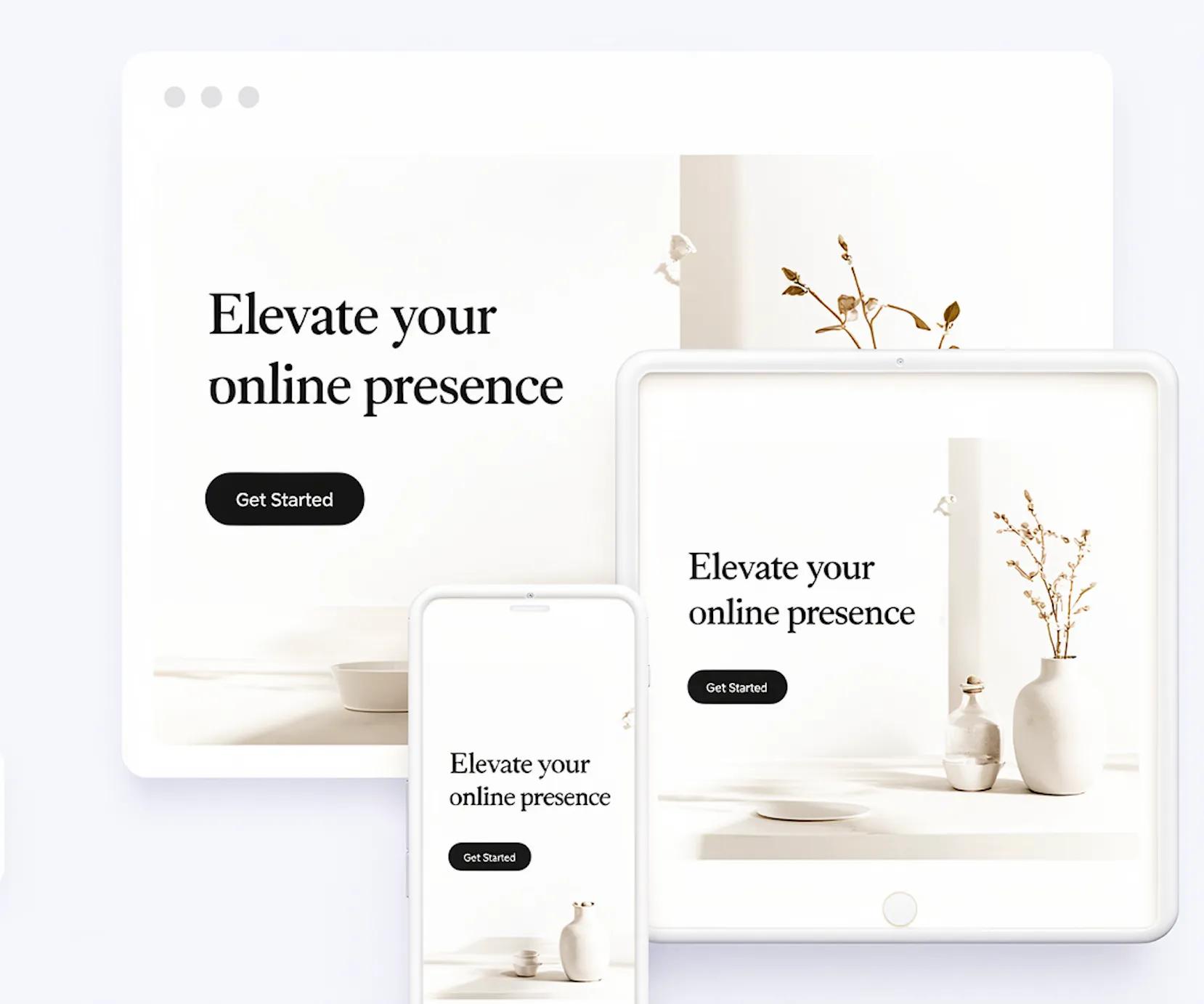
- Native Mobile Responsiveness: Layouts scale smoothly across desktop, tablet, and mobile displays automatically.
- All-In-One Identity Management: Connect your custom domain name, publish new pages, and manage content easily from a unified dashboard.
Stop putting off your online launch while worrying about technical setups or expensive design agencies.
Build your site with BoltWeb today and give your new business the professional online home it deserves.

Frequently Asked Questions: Creating a Website for a New Business
Where do I even begin when creating a website for a new business?
Start by defining your primary business goal before touching any design tools. Decide whether your site needs to drive direct online sales, book consultation appointments, or generate phone calls. Once your target outcome is clear, outline a minimal website structure—starting with just a homepage, services overview, about section, and contact channel.
How many pages does a new business website actually need on day one?
Keep your initial footprint lean. Most new operations need only 4 core pages:
- Homepage: Explains what you do and who you serve within seconds.
- Services / Products Page: Details your core offerings, deliverables, and pricing parameters.
- About Page: Establishes founder credentials, background, and business mission.
- Contact Page: Features clear intake forms, booking links, or direct phone numbers.
Adding unnecessary pages early on creates clutter and dilutes your core marketing message.
How do I choose the right domain name for my new business?
Select a clean, memorable custom domain that matches your official brand name closely (a .com extension remains the gold standard for commercial credibility). Avoid using hyphens, complex spelling, or long strings of numbers. Pair your domain with a matching professional email address (e.g., [email protected]) to establish authority immediately.
How much should I expect to spend on a new business website?
If you hire a web design agency, a starter site can cost between $2,000 and $7,500+. However, using an automated AI website builder like BoltWeb lets you launch, host, and maintain a fully custom, mobile-ready business site for a small fraction of traditional agency rates without sacrificing professional quality.
How do I explain my business on the homepage if nobody knows my brand yet?
Focus on plain-language positioning above the fold. Use a direct homepage headline that clearly states what service or product you provide, who it is for, and the primary outcome your customer receives (e.g., "Custom Commercial Cabinetry for Corporate Offices in Dallas"). Avoid vague slogans that force visitors to guess what you sell.
How can a brand-new business look trustworthy on day one?
Remove visitor doubt by integrating authentic social proof and verification signals:
- Display verified customer quotes, early reviews, or pilot project testimonials.
- Feature real photos of your team, work environments, or products instead of generic stock media.
- Display industry certifications, trade licenses, guarantees, and SSL security badges near call-to-action buttons.
How long does it take to get a new business website online?
Traditional web development projects typically take 4 to 12 weeks. Modern visual platforms like BoltWeb reduce this timeline to minutes by automatically building responsive layouts, setting up mobile viewports, and structuring core lead capture sections right out of the box.
How will potential customers find my new website on Google?
Search engines need clear signals to rank a fresh domain. Implement these core search practices:
- Conduct basic keyword selection and place high-intent search terms inside your page titles, header tags (<h1>, <h2>), and main content.
- Claim and verify a free Google Business Profile to secure local map rankings.
- Create useful, structured content that directly answers common questions asked by prospective clients in your niche.
Should I build the website myself or hire a web developer?
If you are launching a straightforward service or e-commerce business, hiring a developer is rarely necessary. Modern no-code website builders handle site architecture, mobile responsiveness, and enterprise hosting automatically—allowing founders to control their own site copy and updates without relying on technical contractors.
Why should I launch my new business website with BoltWeb?
Unlike generic website software that requires manual plugin maintenance and complex visual themes, BoltWeb is engineered specifically for speed, conversion, and ease of use. It leverages intelligent site generation to build fast-loading, SEO-ready, mobile-optimized business sites in minutes, keeping your focus on landing your first clients.